
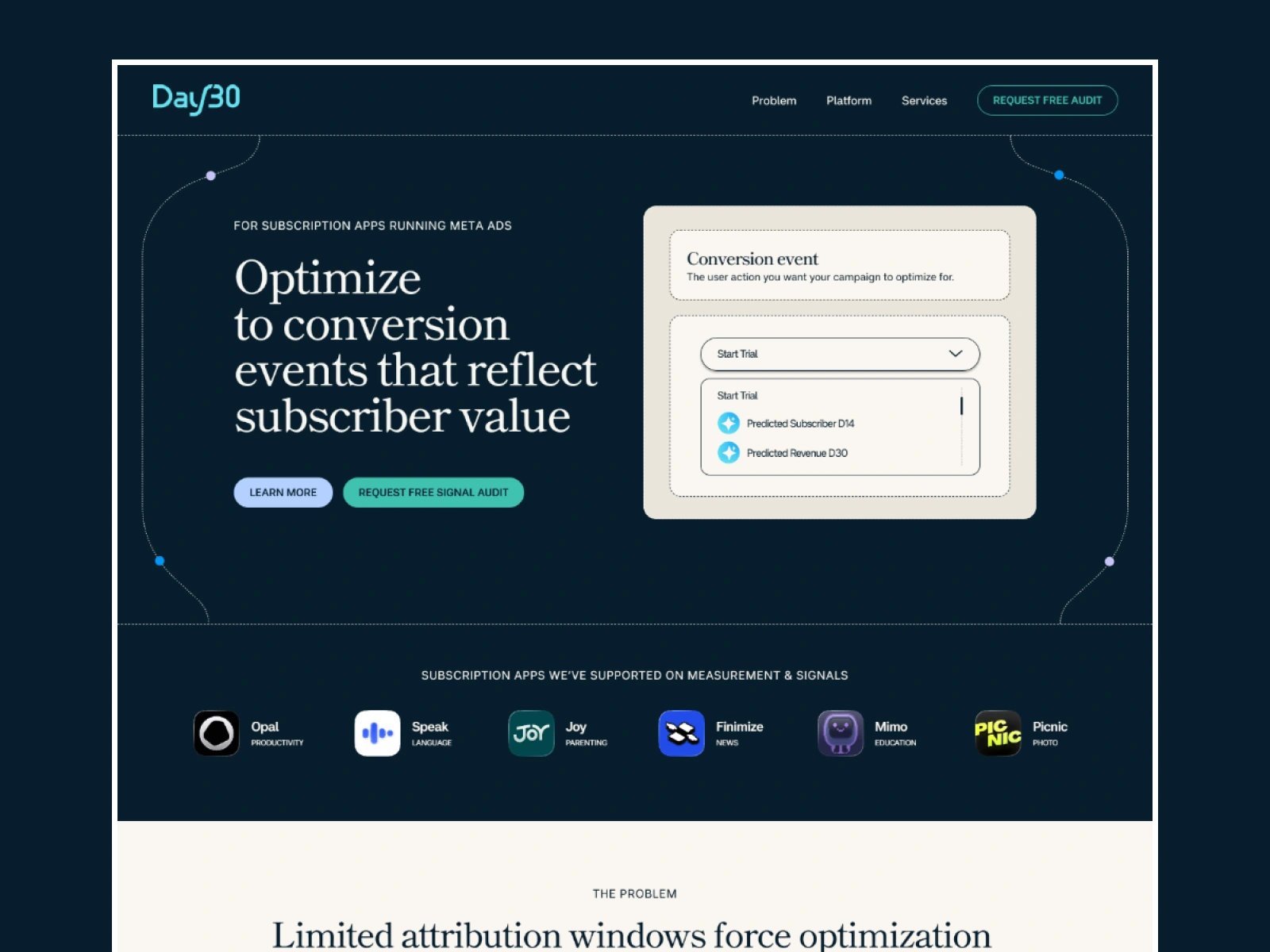
Day30 had a finished Figma design and wanted it live, fast. In under two days it was a working Framer site, responsive on every screen, with the animations the design called for. In their own review, Shumel Lais from Day30 wrote that I "turned our Figma designs into a live Framer site within 24 hours." Here is how that went, and what I would tell any team planning a Figma to Framer handoff.
The project
Day30 helps subscription apps optimize their Meta Ads campaigns with predictive signals that reflect real subscriber value, instead of stopping at trial events. That is not an easy product to explain in one scroll. The design team had solved it on paper with detailed platform diagrams, animated interactions and a layered visual system that walks you from the problem to the solution.
My job was to turn that file into a real site without losing any of it, and without slowing the page down.
Why I rebuild by hand
There are plugins that copy a Figma file into Framer in one click. I have tried them, and I still rebuild by hand. An import gives you something that looks right at one width. Under the hood you usually get layers stacked and positioned for that one frame, which falls apart the moment the screen gets narrower, and which nobody on the client team can edit with confidence.
Rebuilding by hand sounds slower, but on a file like this it is the faster path. Each section becomes a proper stack that adapts to the screen, and every repeated block becomes a component. When Day30 wants a new section, they duplicate a component and change the text.
Diagrams that survive a phone screen
The hardest part was the diagrams. A wide diagram that explains a data flow reads perfectly on a laptop and turns into unreadable confetti on a phone. Shrinking it is not an answer.
So each diagram became its own piece, built to rearrange instead of scale: on smaller screens the steps stack, labels stay at a readable size, and the order of the story stays the same. Because I design and build, I made those calls during the build and showed the result, instead of sending a list of questions back to the client. If you want the theory behind this, the web.dev guide to responsive design covers it well. In practice it comes down to taste and a lot of resizing the browser window.
Motion without slowing the page
The design used animation to explain, not to decorate: things appear in the order you need to understand them. I kept every interaction tied to that purpose and checked them on a phone, where heavy animation hurts first. A handful of purposeful animations make a site feel finished. Twenty make it feel slow.
Feedback in hours, not weeks
The fast timeline only works if feedback is fast too. Shumel's review mentions it too: responsive to feedback, every detail handled quickly. Day30 commented on a live link and changes came back the same day. No ticket queue, no handoff between a designer and a developer. That loop is most of the reason the whole thing fit in under two days.
What to prepare before a Figma handoff
Day30 came with ready inputs, and that matters more than any tool. If you are about to hand a Figma file to a Framer designer, this list saves the most time:
Final copy. Text that changes after the build is the biggest source of rework, because long headlines change layouts.
Fonts and licenses. Web font files, or the name of the Google Font, and confirmation you are allowed to use them on the web.
Images and diagrams at full size. Exported originals or the vector source, not screenshots from the Figma canvas.
A note on what moves. Even one line per section helps: this fades in, that slides, this one stays still.
Who edits later. If your marketing team will add pages or posts, say so. It changes what I turn into components and CMS collections.
Is under two days realistic for your site?
For a landing page with a finished design and ready content, often yes. It gets longer with many unique pages, a large CMS, or a design that is still changing. The honest answer depends on the file, which is why I ask to see it before quoting. You can see typical ranges on my pricing page.
If you have a Figma file waiting, here is how my Figma to Framer service works, and a bit more about how I work.
Frequently asked questions
Can you really build a Framer site from Figma in under two days?
For a landing page with a finished design and final copy, often yes. Day30's site was live in under two days. Multi page sites take longer.
Why not use a Figma to Framer import plugin?
Imports look right at one width but are hard to make responsive and hard for your team to edit. A hand rebuild gives you clean, reusable components.
What if my Figma file only has desktop designs?
That is normal. I design the tablet and phone versions during the build and show them for review.